


Weezer-Sonic Bloom
4.0414.00 Reviews
App Specs
- Version
- 1.3.5
- Updated On
- License
- Free
- Downloads
- 1,000,000+
- Developer
- Sangri Solutions
- Categories
- Entertainment
- Platform
- Android
Screenshots
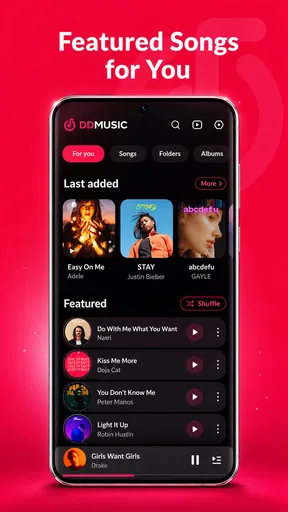
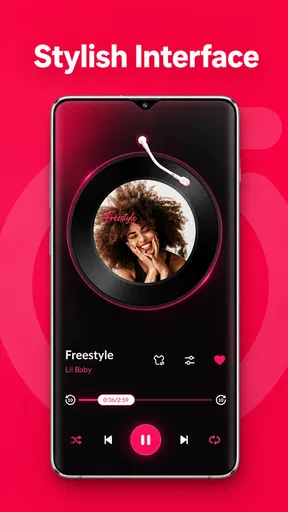
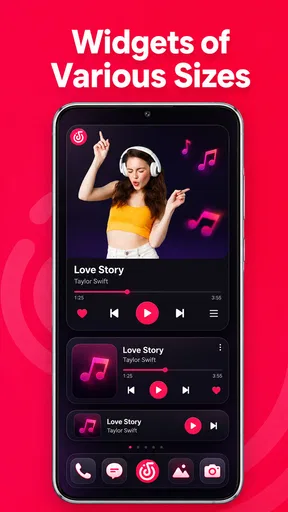
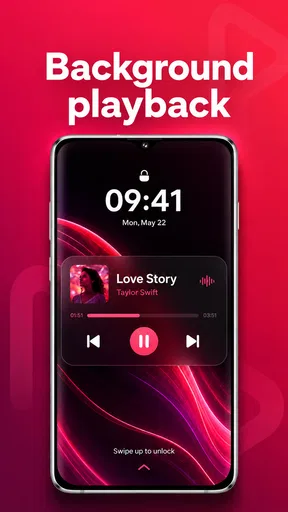
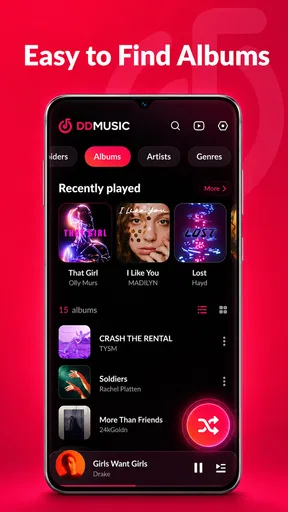
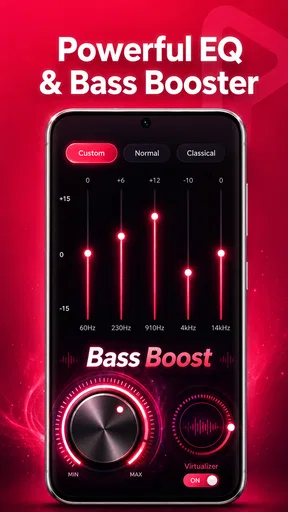
 Analysis by AppCompare
Weezer-Sonic Bloom is an entertainment app that makes one promise especially easy to understand: it lets me play audio stored on my device without depending on an internet connection. That focus matters more than it may sound. When I want to listen to personal music files, downloaded recordings, or other compatible audio while travelling, I would rather open a simple player than search through a streaming catalogue or worry about a weak signal.
After using it, I see the app as a practical choice for people who already keep audio files locally. It is free, comes from Sangri Solutions, and is aimed at Teen users. Its store summary highlights support for MP3, WAV, FLAC, and other sound formats, so the key question is not whether it replaces a streaming service. The better question is whether it gives your own files a convenient place to play.
Offline playback is the feature that defines the experience
The strongest part of the app is its offline approach. Once compatible audio is available on the phone, playback does not need to be tied to a mobile connection. In everyday use, that makes a difference on flights, in underground stations, in rural areas, or anywhere I want to save battery and avoid streaming interruptions.
I also like the distinction between owning or storing an audio file and merely having access to an online catalogue. A streaming app is excellent when I want discovery, recommendations, synchronized libraries, and instant access to music hosted elsewhere. Weezer-Sonic Bloom is more useful when the file itself is the priority. That includes personal recordings, downloaded albums, sound effects, lectures, and music collected from sources that do not belong inside a streaming subscription.
The broad format support is another meaningful advantage. MP3 remains convenient for ordinary listening, while WAV and FLAC are more relevant to people who keep larger or less compressed recordings. I would not assume that every unusual file behaves identically just because the summary says it supports all sound formats, but the stated range makes the app more flexible than a player designed only around common compressed music.
The real benefit is control over where the audio comes from. I do not have to rebuild a playlist inside a streaming service, upload files to a cloud library, or keep an account active just to hear something already stored locally. That makes the app particularly appealing for listeners with a carefully maintained collection.
What offline means in a normal day
Imagine a long commute with unreliable reception. Before leaving, I place a few albums and spoken recordings on my phone. During the journey, the player can handle that local collection without asking me to maintain a connection. If the train enters a tunnel or the signal disappears, the listening experience is not interrupted merely because the network changed.
Worth Reading Before You Choose

EA SPORTS FC Mobile 26 Is a Bigger Football Game, but It Takes Time

Flipboard Shows What News Apps Must Do Beyond the Feed

Switching to Android Auto Means Rethinking Your Driving Routine

Google Calendar Makes a Crowded Week Easier to Manage

Ludo King Makes the Most of the Minutes Between Plans

Baby Panda World Brings Quick Play to Modern Phones, but Its Game Library Feels Busy
The same workflow suits a student carrying recorded lessons, a musician checking exported mixes, or someone who keeps family recordings on a device. In each case, the important action happens before listening: the audio must already be available locally. This is not a magic downloader, and it should not be treated as a substitute for obtaining files legally and safely.
For me, that preparation is a small trade-off rather than a serious obstacle. It also encourages a more predictable library. Instead of opening an app and hoping a saved item remains available, I know that a local file is physically present and ready to play. The downside is that I have to organize those files myself, which may feel less effortless than using a polished subscription service.
How I would use the player with different file types
For ordinary albums, MP3 files are the easiest starting point. They take less storage and are usually convenient for commuting or casual listening. WAV files make more sense when I am reviewing uncompressed recordings, although their larger size can make local storage management more important. FLAC is a useful middle ground for listeners who want lossless audio without automatically accepting the same storage demands as WAV.
This leads to a practical tip: I would not keep every version of every track on the phone. If I am using the app mainly for travel, a compact selection is easier to browse and less wasteful. If I am using it to inspect recordings, I would keep the higher-quality files in a separate folder so that test material does not get mixed with finished music.
Another useful habit is to give files clear names before importing or copying them to the device. A local player can only be as organized as the collection it reads. Consistent artist, album, and track information should make a larger library easier to navigate, while vague filenames can turn a simple listening session into manual searching. This is one of the hidden trade-offs of offline playback: it gives me ownership of the files, but it also gives me responsibility for their order.
How it feels in practice
Weezer-Sonic Bloom is presented as a dedicated audio player rather than an all-purpose entertainment platform. That narrow purpose is helpful. I can approach it with a clear expectation: open the app, find locally available audio, and listen. I am not choosing it for social features, editorial discovery, or a large online catalogue.
The app’s current version is 1.3.4, and it supports Android devices running version 8.0 or later. That makes it relevant to people using older compatible phones as well as newer models. I would still check the device’s available storage before transferring a large collection, especially when working with WAV or other sizeable files.
One question many users will have is whether the app is useful without an account. Its defining offline purpose suggests a local-first workflow, but I would think of it primarily as a player for audio already on the device rather than a service built around profiles and cloud synchronization. If automatic syncing across several phones is central to your routine, a cloud-based music solution may fit better.
Another question is whether it replaces a podcast or streaming app. In my view, no. It can be a sensible companion for downloaded or locally saved spoken audio, but it does not offer the same discovery tools or online catalogue experience that specialized services provide. I would install it alongside those apps, not necessarily instead of them.
The distinction is important because the app’s value increases when the user has a reason to keep files offline. Without a local collection, there is less for it to do. With one, the simple design becomes a strength because the player is not competing with recommendations, subscriptions, and constantly changing online content.
The best everyday scenario
My favorite use case is a trip where connectivity is uncertain and I want a dependable listening queue. I would prepare a small group of albums, recordings, or long-form audio at home, check that the files open correctly, and then use the app during the journey. That workflow avoids the common mistake of discovering that a supposedly available item still needs an internet connection.
It is also useful for someone who works with audio away from a desk. A voice actor could keep reference recordings on a phone, a teacher could carry lesson material, and a hobbyist could compare different exports while away from a computer. The app does not need to provide a complicated studio environment to be useful in these situations; reliable access to the files is the main advantage.
For family use, I would be more cautious because the content rating is Teen. That does not tell me that every audio file is unsuitable for younger listeners, but it does mean I would not present the app as a child-focused player. Parents should manage the content stored on the device and decide whether the app fits their household.
Where the usual alternatives remain stronger
Streaming services are better when I want to search for unfamiliar artists, receive recommendations, follow releases, or move between devices with minimal manual setup. Their libraries and account-based features remove much of the organizational work. If my listening habits are mostly discovery-driven, Weezer-Sonic Bloom would feel limited because it depends on what I have already stored.
Manufacturer-installed music players may also be more convenient for people who want deep integration with a particular phone. A built-in player can sometimes fit the device’s controls and file browser more naturally. On the other hand, a standalone app can be easier to choose when I want a separate tool dedicated to personal audio rather than a general media component.
Desktop audio software is the better option for serious editing, tagging, conversion, or detailed analysis. I would not use this app as a replacement for a workstation when I need production controls. Its appeal is mobility and straightforward playback, not turning a phone into a complete recording studio.
There is also a trade-off against cloud storage. Cloud libraries reduce the need to copy files manually, but they depend on account access, synchronization, and sometimes network availability. Local playback avoids those dependencies, yet moving a collection to a new phone can require another round of file management. I would choose based on whether independence from the cloud matters more than effortless synchronization.
Small habits that make offline listening better
Before relying on the app for a trip, I would test the exact files while the phone is in ordinary offline conditions. That simple check confirms that the collection is actually stored on the device and helps reveal any file that was only referenced from another location. It is more useful than discovering a problem after leaving home.
I would also separate music, spoken material, and temporary recordings into clearly named folders. This reduces scrolling and makes the player more practical when the library grows. Keeping a small “travel” selection is another good idea: it prevents a huge archive from getting in the way when I only want a few hours of listening.
For high-quality files, I would balance sound quality against storage. FLAC or WAV can be worthwhile for critical listening, but they are not automatically the best choice for every commute. MP3 may be perfectly adequate for background listening and leaves room for more albums. The right choice depends on the headphones, the environment, and how much space the phone has available.
Finally, I would keep backup copies somewhere other than the phone. An offline player makes local files convenient, but it does not make the device a backup system. If a recording matters, I would preserve the original on another trusted location rather than treating the phone as the only copy.
Who will get the most from it?
The best audience is people with a personal audio library and a clear reason to listen without the internet. That includes commuters, travellers, collectors, students, audio hobbyists, and anyone who dislikes having local recordings scattered across several unrelated apps. The free price makes it easy to try without turning the decision into a subscription commitment.
Its public reception is encouraging: the app has an average rating of 4.0 from around 7.9 thousand ratings, with over 1 million installs and around 409 written reviews. Those figures suggest that it has reached a substantial audience, although they do not remove the need to judge whether its local-first approach matches your habits.
I would skip it if my entire library lives inside streaming platforms, if I need automatic cloud synchronization, or if I expect advanced audio editing and studio controls. I would also avoid relying on it as my only solution for a very large collection unless I am willing to spend time organizing files and managing storage.
For everyone else, the app makes a convincing case through focus rather than excess. Sangri Solutions has built the experience around the useful gap between streaming and personal files. It is not trying to be a social network, a music discovery engine, or a production suite. It is a free entertainment app for playing compatible audio that is already within reach.
My final recommendation is straightforward: install Weezer-Sonic Bloom if offline access to MP3, WAV, FLAC, and similar files is the problem you actually need to solve. Prepare the collection carefully, keep expectations centered on playback, and it can be a dependable companion when connectivity is inconvenient. If you want the app to find music for you or synchronize everything automatically, a streaming or cloud-based alternative will be the better fit. For local listening, though, its focused purpose is exactly what makes it worth considering.
Pros
- Strong visual identity that matches Weezer’s playful alternative-rock style.
- Simple controls make the game approachable for casual players.
- Short sessions work well for quick entertainment on mobile.
- Music-themed presentation adds personality beyond standard arcade games.
- Progression encourages repeated play without requiring long commitments.
Cons
- The gameplay may feel repetitive after extended sessions.
- Some mechanics can take time to understand without clear guidance.
- Performance may vary on older phones or less powerful devices.
- Limited content could reduce its long-term appeal for dedicated players.
- The game may not appeal to users unfamiliar with Weezer’s music.
FAQs for Weezer-Sonic Bloom
What is Weezer-Sonic Bloom?
Weezer-Sonic Bloom is a music-focused mobile experience connected with Weezer’s creative world. It is designed for fans who want to explore an interactive presentation rather than simply listen to songs through a standard streaming service. Depending on the version and platform, the app may include visual content, music-related features, promotional material, or interactive elements inspired by the band’s style and releases.
Is Weezer-Sonic Bloom free to download and use?
The app may be available to download without an upfront charge, but availability, in-app content, and access conditions can vary between Android and iOS. Before installing, users should check the current store listing for pricing details, optional purchases, subscriptions, or promotional limitations. Some features may also depend on an active internet connection or on content being available during a specific campaign.
What devices are compatible with Weezer-Sonic Bloom?
Compatibility depends on the operating system and the app version published by its developer. Most users should confirm the minimum Android or iOS requirement directly on Google Play or the App Store before downloading. Older phones may install the application but provide a less reliable experience, especially when displaying rich visuals, playing audio, or loading interactive content that requires more memory and processing power.
Does Weezer-Sonic Bloom require an internet connection?
An internet connection is generally recommended because music-related media, artwork, announcements, and interactive features may be loaded from online servers. Some previously opened content might remain accessible temporarily, but users should not assume that the app works fully offline. A stable Wi-Fi or mobile-data connection can also help prevent interruptions while downloading media and reduce the chance of incomplete loading.
Is Weezer-Sonic Bloom an official Weezer app, and is it safe to install?
Before downloading, users should verify the developer name, publisher information, permissions, and store reviews to confirm that they are installing the legitimate release. If the listing is presented through an official Weezer campaign or recognized partner, it is more likely to be authentic. Avoid unofficial APK files and third-party download pages, since they may contain modified software, unwanted advertising, or security risks.


